
Features
Accounting first. Everything else when you need it.
The books every business needs, the easy ways to get entries in, and the modules that build on them, each with what it does and which plan includes it.
Add entries your way
Scan it, say it, or add it from the calendar.
Income, expenses and transfers go in the way they happen, and you check each one before it's saved.
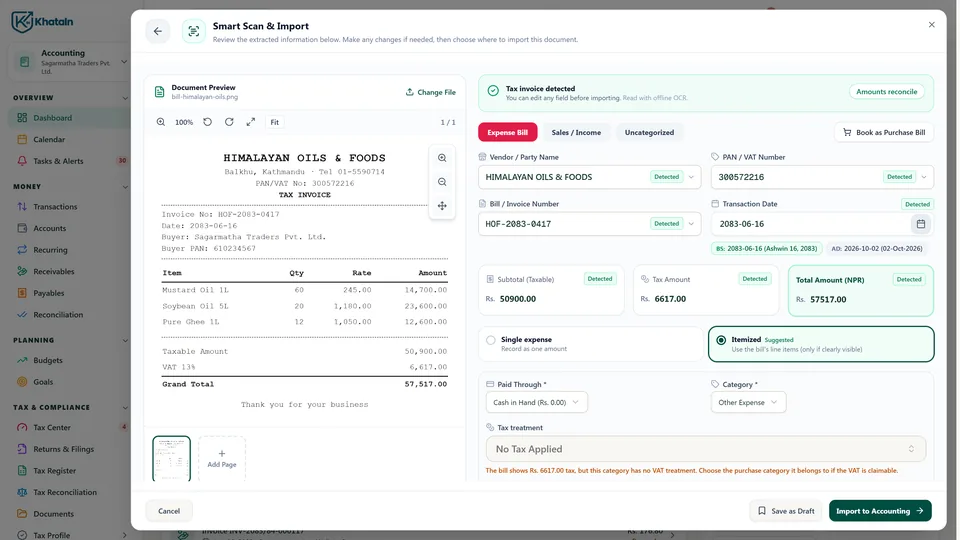
Smart Scan
Photograph or upload a bill. KhataIN reads the vendor, PAN, items and totals into a draft for you to check, then books it.
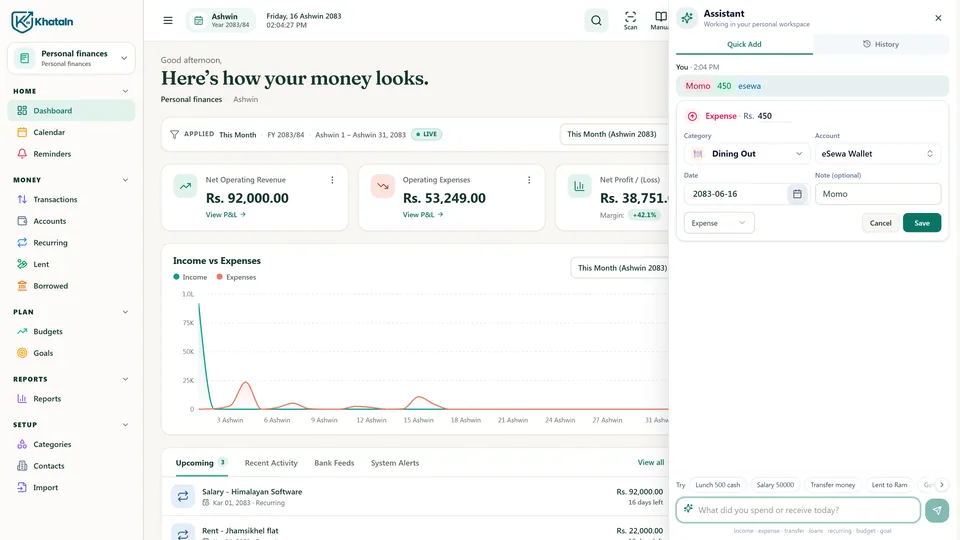
Assistant
Type what happened, like “Lunch 450 eSewa”. KhataIN fills in the entry, and you review it before saving.
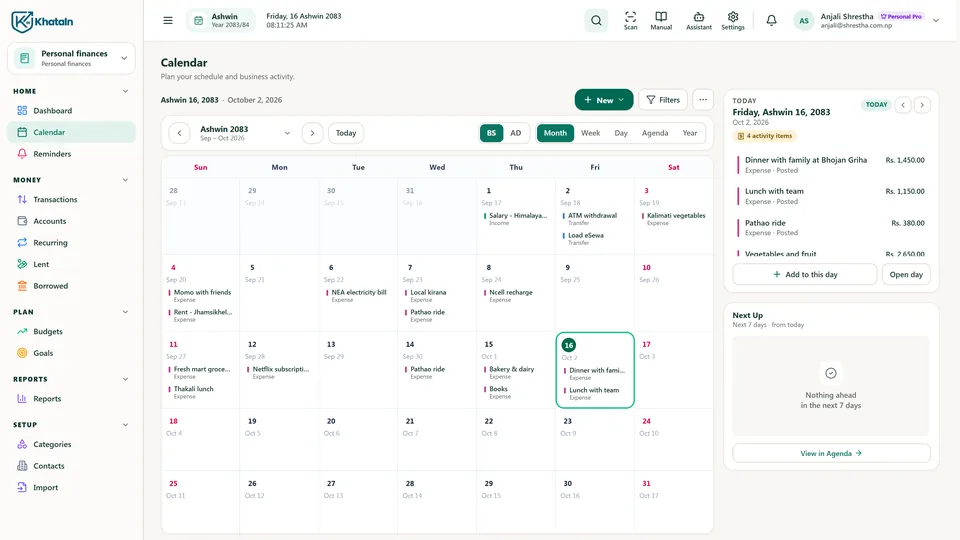
Calendar
Add an income, expense or transfer right from the day, on a Bikram Sambat calendar that also shows bills due.
Accounting, done properly
The books every business needs, with the hard parts handled.
Double-entry underneath, plain screens on top. Every plan includes all of this.
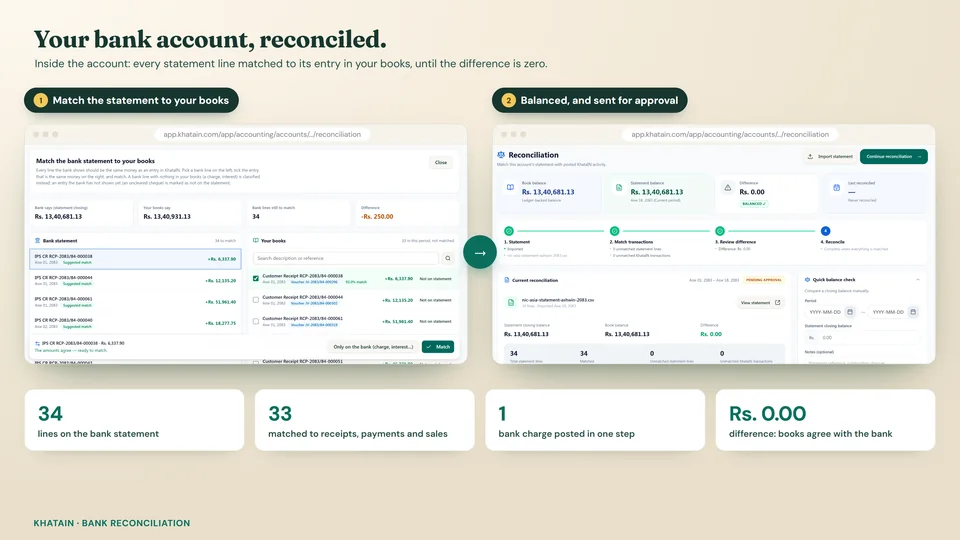
Bank & cash reconciliation
Match your bank and cash accounts against what actually happened, and see what's left to explain.
Receivables & payables
Who owes you, what you owe, and what's overdue, invoice by invoice.
Budgets & goals
Set spending limits and targets, and track them against your real numbers.
Fiscal year closing
Close the year when you're ready, and carry the balances into the next one.
Import from Excel
Bring in transactions, bank statements, opening balances, customer and supplier balances, and opening stock.
Recurring entries
Rent, salaries and subscriptions entered on schedule, so nothing is forgotten.
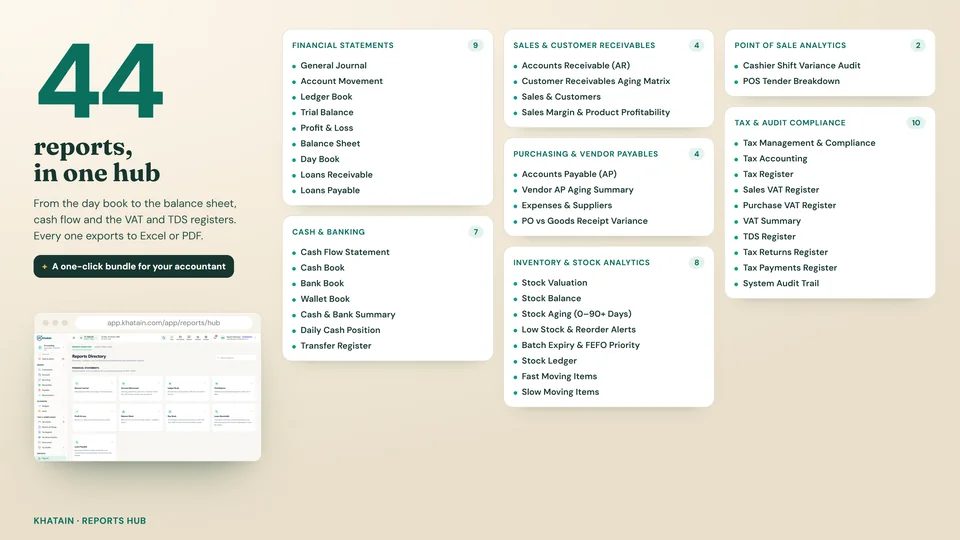
Reports you get
- Profit & loss
- Balance sheet
- Trial balance
- General ledger
- Day book
- Cash book
- Bank book
- Cash flow
- Receivables & payables
- VAT & TDS registers
- Sales, purchase & stock reports
- Audit trail
AccountingBusiness Starter
Every transaction, accounted for.
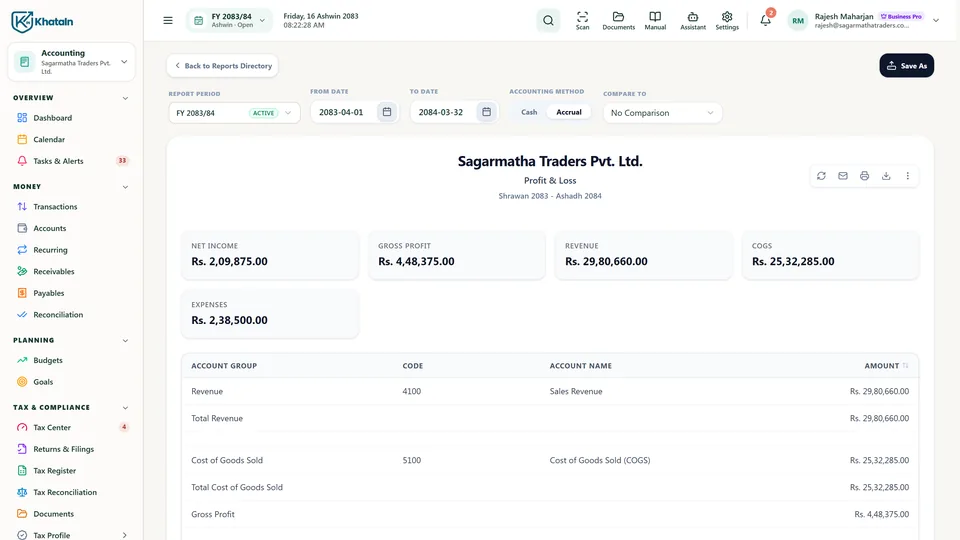
Sales, purchases, payments and expenses post to one set of books: profit and loss, balance sheet and trial balance for the fiscal year, and bank reconciliation.
- AddAn income or expense in seconds, dated in Bikram Sambat.
- RecurringRent, salaries and subscriptions set up once, posted on schedule.
- ReceivablesWho owes you, what is overdue, and the invoice behind it.
- PayablesWhat you owe each supplier, before it is due.
- AccountsEvery bank, cash and wallet account with its own balance and ledger.
- ImportBank statements and Excel books brought in, checked line by line.
- ReconcileThe bank statement matched to your books, line by line.
- ReconciledBank charges recorded in one step, until the difference is zero.
- CurrencyExchange rates for every currency you deal in, in one place.
- Reports44 reports in one hub, from the day book to the balance sheet.
- Fiscal yearYour fiscal year in Bikram Sambat, closed only when every check passes.
- AssistantType what happened; the Assistant prepares the entry for you to check.
- Smart ScanA supplier bill scanned into a draft, ready to book.
Tax & ComplianceBusiness Starter
Your tax work, organised.
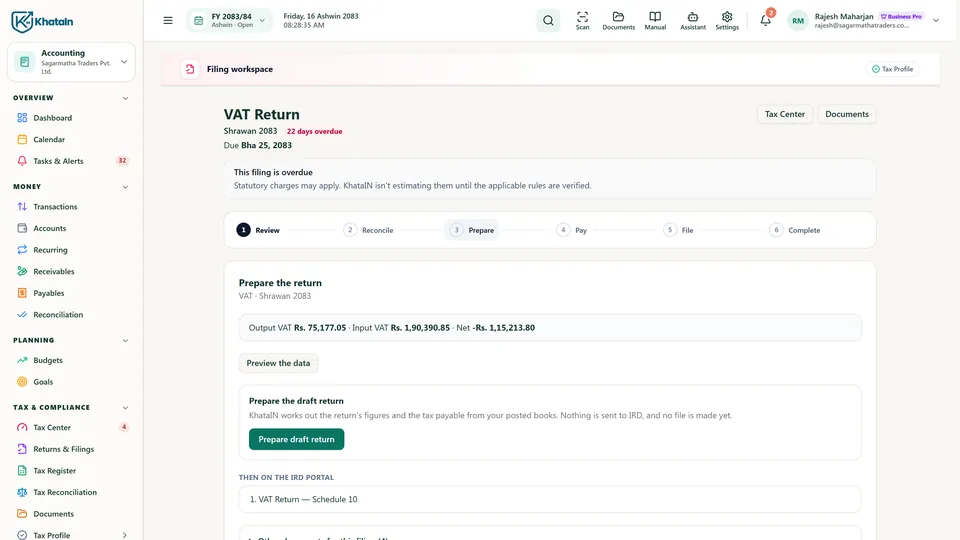
A Tax Center built from your tax profile, VAT returns prepared from your posted records for you to review, and a tax register that shows where every figure comes from.
- Tax CenterYour tax obligations: coming up, needing attention, filed.
- VAT returnVAT returns prepared from posted records, for you to review.
- Tax registerThe transactions behind every figure.
- Tax profilePAN, registrations and taxpayer details in one place.
Team & AccessBusiness Starter
Work together with clear access.
Invite staff with their own accounts, and give each role only the parts of the business its work needs.
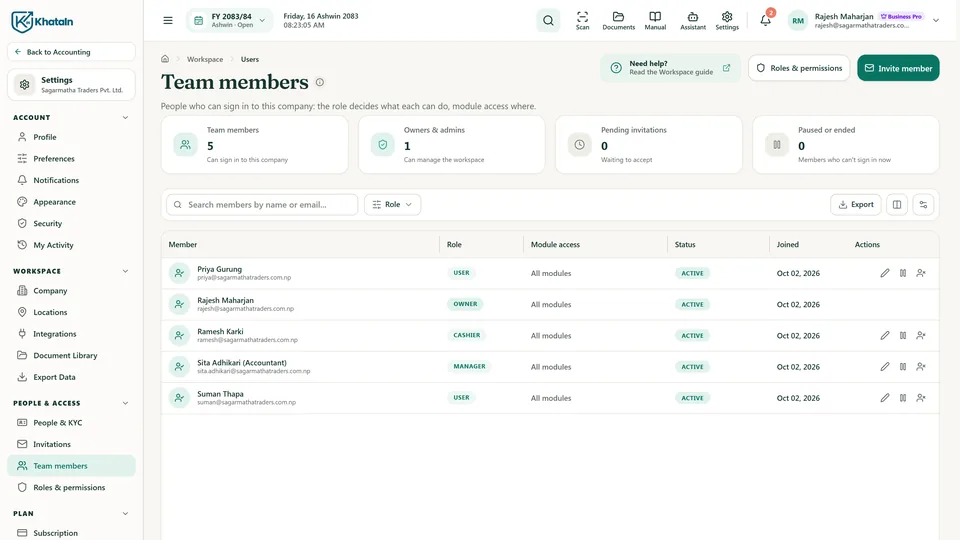
- Team membersStaff with their own sign-in: sales, purchasing, cashiers, accountants.
- InviteInvite people and choose what they can open.
- RolesRoles with clear permissions.
Up to 3 members on Starter, 15 on Pro
PracticeFor firms
Serve your clients from one login.
For accountants, tax professionals and audit firms: open each client in its own context, with the engagement and its access shown, and keep client books apart from your firm's own.
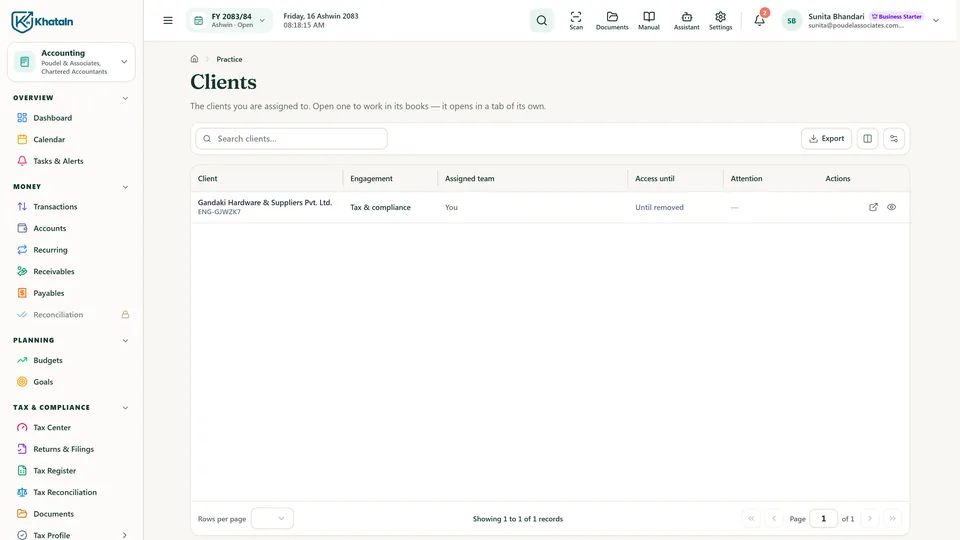
- ClientsThe businesses that engaged your firm, and what they allow.
- Client tabOpen a client's books in their own context.
- FilingsTheir tax records and filings, kept apart from your firm's books.
For accounting, bookkeeping, tax and audit firms: turned on when your verified company declares that work
InventoryBusiness Starter
Know your stock.
Products with their tax treatment, stock on hand, reserved and incoming, and a stock ledger that keeps every movement.
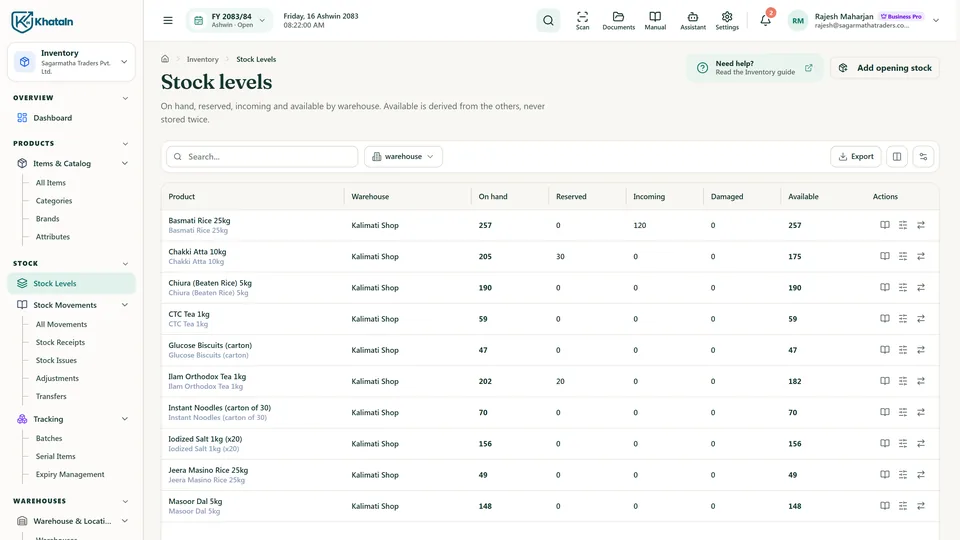
- DashboardStock value and the items that need attention.
- ProductsProducts with their tax treatment, ready for sales and purchasing.
- Stock levelsOn hand, reserved and incoming, at each warehouse.
- TransfersProStock transfers between warehouses.
- Stock ledgerA stock ledger that keeps every movement.
One warehouse on Starter; multiple warehouses and transfers on Pro
When you need them
Selling, buying and the counter, on the same books.
SalesBusiness Starter
From quote to paid.
Quotations, invoices with tax worked out line by line, payments, and what every customer still owes, in one flow.
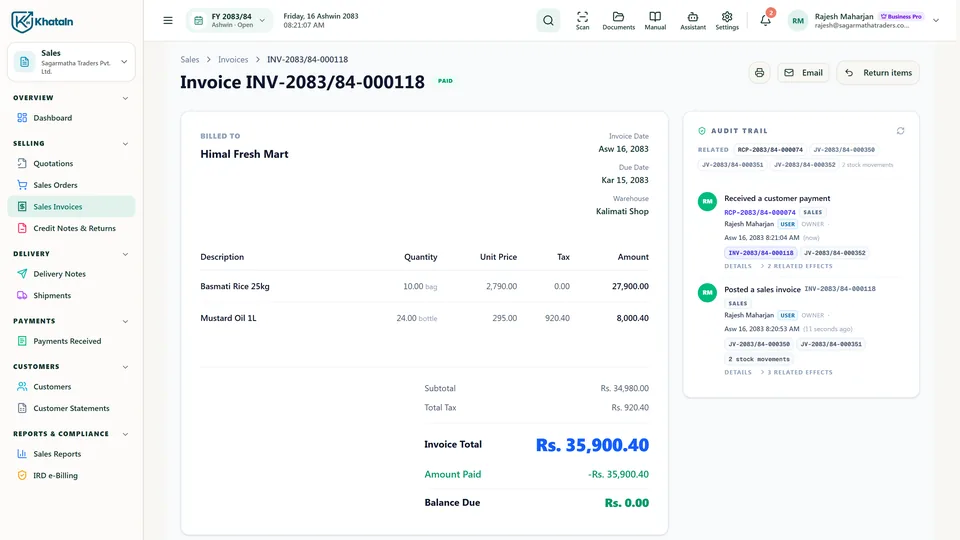
- DashboardWhat you've sold, what customers owe, and what needs attention.
- QuotationsQuotations that become the sale without typing it again.
- Sales ordersProSales orders that track what's still to deliver.
- InvoicesInvoices with VAT worked out line by line.
- Issued invoiceAn invoice number and an accounting entry the moment it's issued.
- PaymentsPayments that update the customer's balance.
- CustomersWhat's sold, paid and still due, for every customer.
Sales orders, deliveries and price lists on Pro
PurchasingBusiness Starter
From order to payment.
Record supplier bills, returns and payments, and see what remains payable to every vendor.
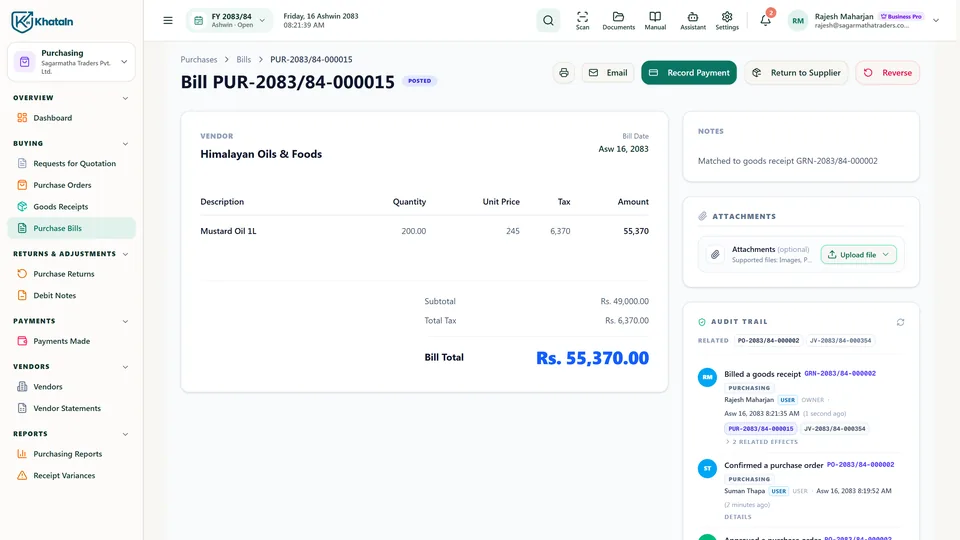
- DashboardWhat's ordered, what's arrived and what you owe.
- Purchase ordersProPurchase orders through your approval workflow.
- Goods receiptProGoods received, with stock updated from what actually arrived.
- BillsSupplier bills, returns and payments together.
- VendorsWhat you owe every supplier.
Purchase orders and goods received with 3-way matching on Pro
POS counterBusiness Pro
Fast at the counter, connected to the books.
The counter part of Sales, on Web and Mobile. Sell at the counter, take cash, card or bank (the web counter also takes a QR or wallet gateway once it's set up), and close shifts. Every sale becomes a Sales invoice and flows into stock and accounting.
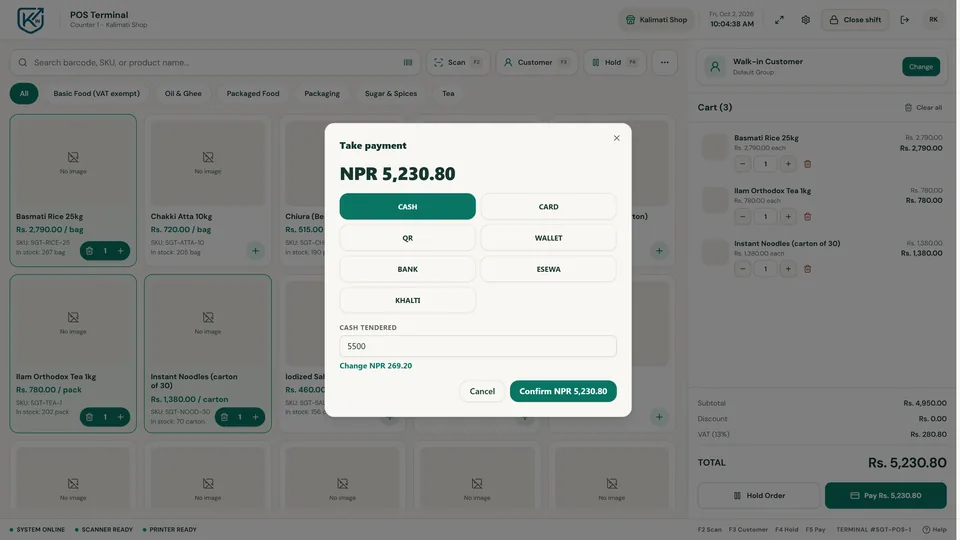
- CounterFind items fast and build the cart.
- PaymentCash, card or bank, with the change worked out; a configured QR or wallet gateway on the web counter.
- ShiftsEvery sale lands in the shift, the stock and the books.
Part of Sales: included in Business Pro, or as the POS add-on. Works with compatible receipt printers and barcode scanners (device validation in progress)
Coming soon
CRMComing soon
Customer follow-ups and history next to the sales and balances KhataIN already keeps.
EcommerceComing soon
An online store connected to your products, stock and accounting.
Set up the way you work
All your businesses, and the people who help with them.
Many businesses, one sign-in
Run more than one company from the same account. Each is registered and verified with its own documents, and you switch between them in a click.
Your accountant, with the right access
Give your accountant, tax preparer or firm a role that opens only the books and filings they need. A firm works on all its clients through Practice.
Bring your business into KhataIN.
Register your company. Once it is verified, you get 15 days of Business Pro to try everything on this page, then choose Starter or Pro, or keep selling for free with Business Free.